Azure to On-Premises SIEM: SSH Detection with Wazuh and Tailscale
A verified cloud-to-on-premises security monitoring lab: Azure Ubuntu SSH events, Tailscale private connectivity, Wazuh rule 5710, and cost-conscious cleanup.
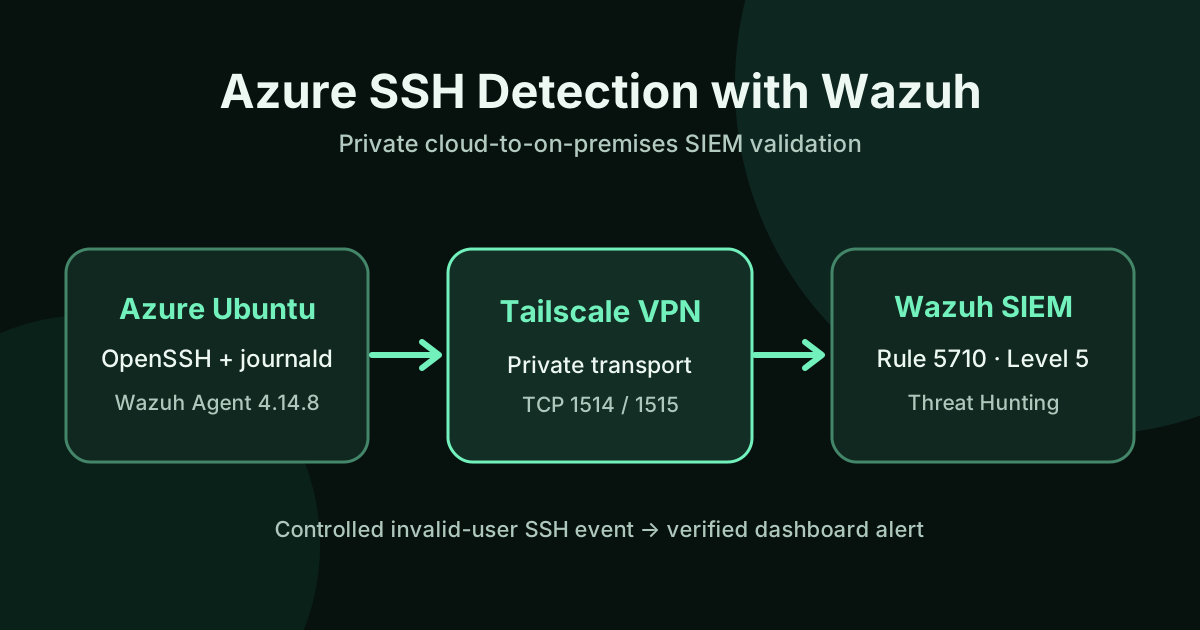
Can a Linux virtual machine in Microsoft Azure send its SSH authentication events to a SIEM running locally—without exposing the SIEM to the public internet? I tested that exact question in a controlled lab and verified the entire path from an SSH journal entry to a Wazuh Dashboard alert.
The result was a working integration between an Azure Ubuntu 24.04 VM and an on-premises Wazuh 4.14.8 Manager over a private Tailscale network. I generated one intentionally invalid SSH login on the Azure VM, confirmed that Wazuh detected it as rule 5710 (level 5), and then closed temporary public SSH access and deallocated the VM.
This is an authorized, time-bounded laboratory proof of concept, not production monitoring or evidence of a real attack.
Architecture: Azure logs to an on-premises SIEM
Azure Ubuntu 24.04 VM
  OpenSSH → systemd-journald
                ↓
        Wazuh Agent 4.14.8
                ↓
       Tailscale private VPN
                ↓
Local Ubuntu / VMware
        Wazuh Manager 4.14.8
                ↓
       SSH decoder + rule 5710
                ↓
      Wazuh Dashboard / Threat Hunting
Tailscale provided a private path between the cloud VM and the local Manager. During validation, packets traversed a Tailscale DERP relay; a direct peer-to-peer connection was not required. The Azure host reached the Manager’s TCP 1514 agent communication port and TCP 1515 enrollment port through the private overlay, not through public inbound SIEM rules.
This builds on my earlier Azure Terraform and Docker lab, Ansible and Tomcat security lab, and local Wazuh + Qwen SOC lab. The new result is the verified connection between Azure and the on-premises Wazuh environment; local Qwen analysis of these specific Azure events was not part of this test.
1. Repair and validate the local Wazuh Manager
Before connecting Azure, I checked the local Wazuh Manager, database, agent registration, and log processing. The Manager service was active, but agent queries initially failed with a Wazuh DB socket connection error. A controlled Manager restart restored the database process and normal agent status reporting.
I then verified the existing local Ubuntu agent. A single invalid SSH username on that machine generated a Wazuh alert with rule 5710, level 5. This established a known-good baseline for the SSH detection path before introducing cloud networking.
2. Connect the cloud VM through Tailscale
I installed Tailscale on both the local Manager and Azure Ubuntu VM, joined them to the same private tailnet, and tested connectivity from Azure to the Manager.
I confirmed that TCP 1514 and 1515 were reachable over Tailscale. The VPN used a DERP relay with observed small ping delays suitable for this low-volume laboratory exercise; those timings are not a throughput or production latency benchmark.
For initial administration of Azure, I temporarily allowed inbound TCP/22 from one current administrator public IP via an Azure Network Security Group rule. I did not open public SSH access to everyone.
3. Install and enroll the Azure Wazuh Agent
The Azure machine ran Ubuntu 24.04 LTS. I installed Wazuh Agent 4.14.8-1 to match the local Manager and configured it to use the Manager’s Tailscale address.
The Wazuh Manager confirmed the new endpoint:
| Field | Verified value |
|---|---|
| Agent name | azure-devops-lab |
| Agent ID | 002 |
| Agent version | Wazuh 4.14.8 |
| Status during testing | Active |
| Collection source | journald |
The Azure agent log also reported a successful TCP connection to its Manager. An active process alone would not have been enough: I checked enrollment from the Manager side as well.
4. Generate one controlled SSH event and verify the alert
I made a single SSH attempt against the Azure VM’s own loopback interface using a deliberately nonexistent test account. I did not try real passwords, other users’ machines, or an external target. The OpenSSH service recorded an Invalid user event in systemd-journald.
The on-premises Wazuh Manager generated the corresponding security alert:
| Field | Observed result |
|---|---|
| Rule ID | 5710 |
| Rule description | sshd: Attempt to login using a non-existent user |
| Rule level | 5 |
| Agent | azure-devops-lab (002) |
| Log location | journald |
| Source IP | 127.0.0.1, laboratory loopback |
| Test username | wazuh-azure-test-2026 |
| Alert time | 2026-11-08 00:30:25 UTC |
Wazuh attached MITRE ATT&CK mappings T1110.001 (Password Guessing) and T1021.004 (SSH). Those are the rule’s classifications; one controlled invalid-user attempt does not establish an actual brute-force campaign or lateral movement.
I confirmed the same result in Wazuh Dashboard → Threat Hunting using the filter:
agent.id: "002" AND rule.id: "5710"
The filtered dashboard displayed one matching alert, one authentication failure, and zero successful authentications within that specific filtered sample. This verified the complete event flow, not just the installation status of the agent.
5. Remove temporary exposure and deallocate Azure
After testing, I verified a private SSH login from Windows to the Azure VM over Tailscale. I then deleted the temporary public SSH NSG rule and repeated connectivity checks:
- Public Azure TCP/22 was unreachable in the subsequent test.
- SSH over the private Tailscale interface remained reachable.
- The relevant NSG showed no remaining custom inbound rules.
Finally, I ran Azure CLI deallocation and independently confirmed VM deallocated. This stops VM compute charges; managed disks, public IP resources, and other services may still incur charges. The Azure agent is not actively streaming events while its VM is deallocated.
I deliberately did not update the entire operating system or leave the VM running simply to keep a demonstration dashboard online.
Lessons learned and limits
The key validated path is Azure OpenSSH → journald → Wazuh Agent → Tailscale → on-premises Wazuh Manager → rule 5710 → Dashboard.
This exercise demonstrates practical Linux troubleshooting, SIEM agent enrollment, log validation, private cloud-to-home networking, Azure NSG access control, and cost-aware shutdown. Most importantly, it demonstrates why end-to-end evidence matters more than a service merely reporting “active.”
What it does not prove: permanent 24/7 cloud monitoring, enterprise-scale correlation, automatic remediation, real intrusion attribution, or AI classification of Azure events. Those would require separate tests, instrumentation, and operational controls.
For related implementation and verification work, see the AI-Powered SOC Lab source repository. A public technical note for this Azure integration is also available in that repository.
Validation: November 7, 2026 (Michigan), corresponding to November 8 UTC. Evidence includes Wazuh alerts.json, Agent 002 Active output, the Threat Hunting Dashboard filter, Azure NSG rule listing, and the final VM power state. Administrative addresses and authentication artifacts are intentionally omitted.

TA551 / RELATED
Related articles
Cybersecurity
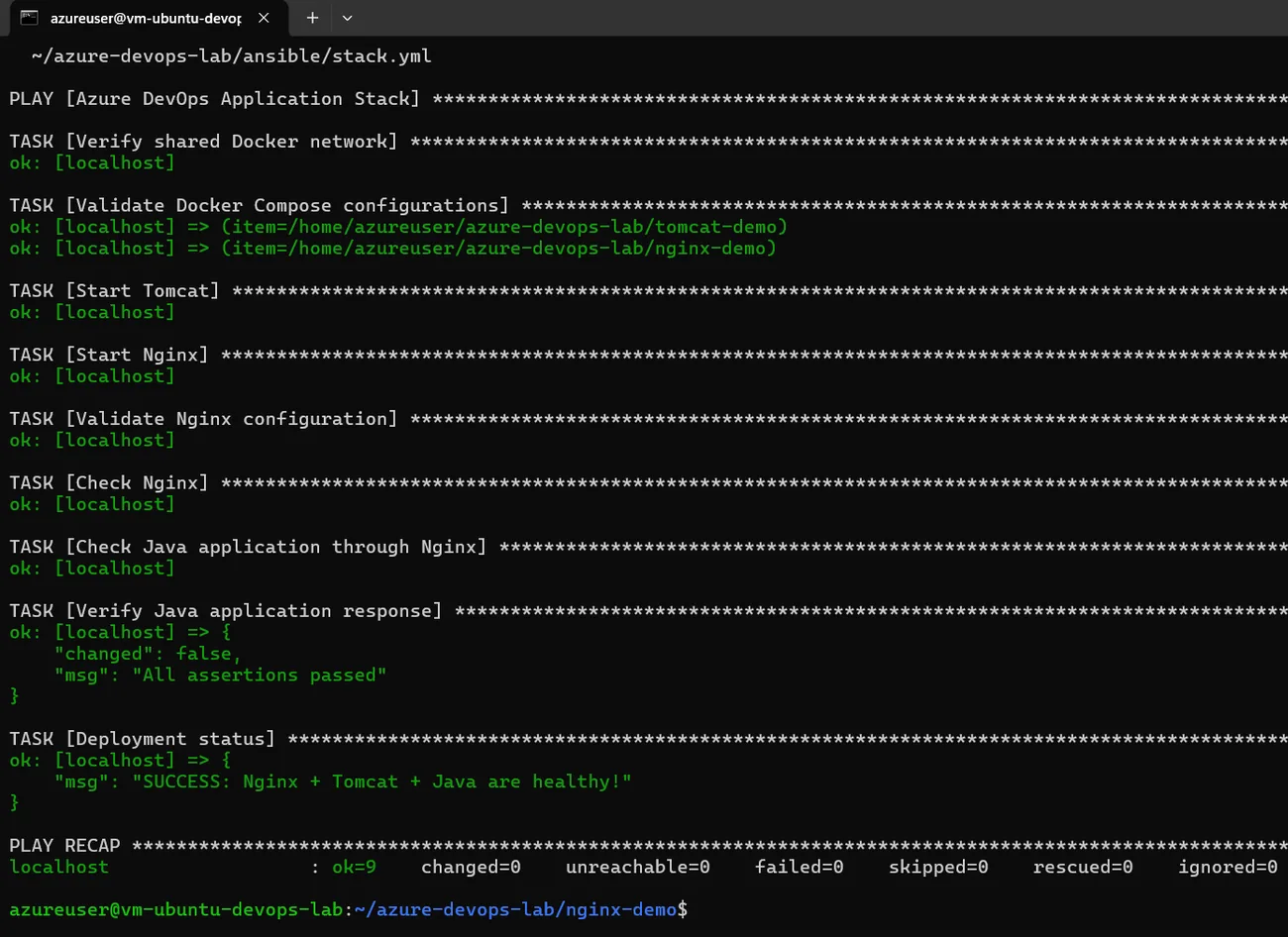
Building an AI-Ready Azure Security Lab with Ansible and Docker
How I extended an Azure Ubuntu DevOps lab with two Docker services, an Nginx reverse proxy, Ansible health checks, and a Python SSH log detector using reproducible test evidence.
Cybersecurity
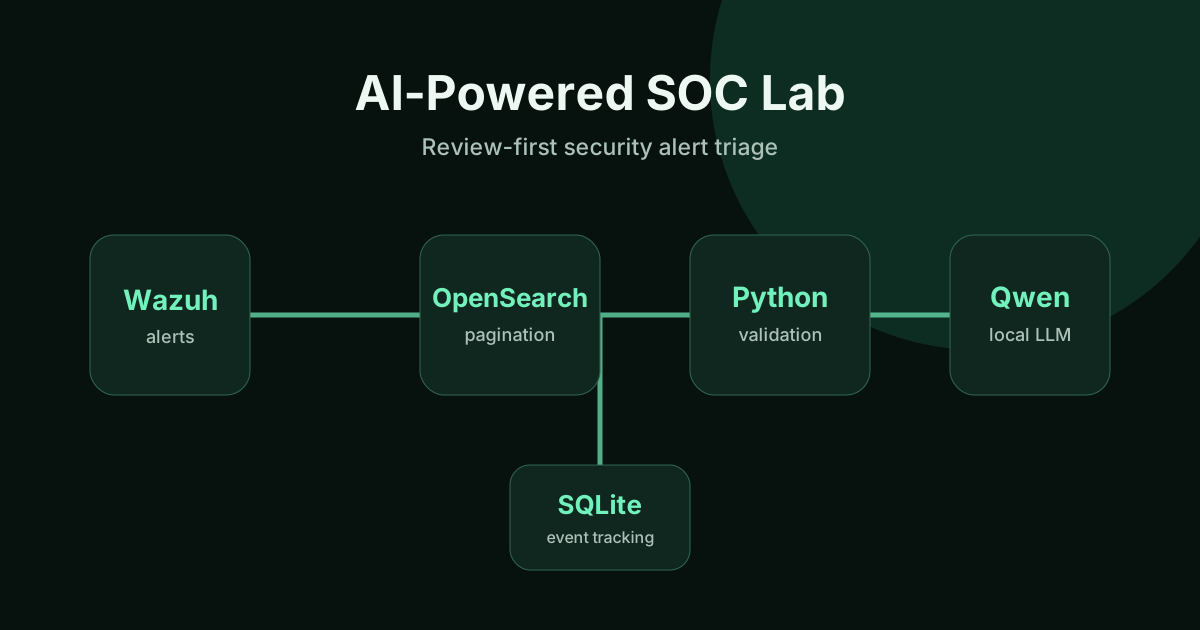
Building a Local AI SOC Lab with Wazuh and Qwen
How I built a review-first Wazuh SIEM lab with OpenSearch, Python, SQLite, and local Qwen AI—and validated pagination, event state, and safe incident triage.
Linux
Linux Server Hardening: A Practical Review Checklist
A practical, evidence-first Linux VPS security checklist covering SSH access, least privilege, exposed ports, Nginx, TLS, updates, logging, backups, and safe deployment.