SSHole CVE-2026-123158: VPS Audits and an OpenSSH Docker Lab
Two production VPS security audits and a controlled Alpine OpenSSH A/B test show why banners cannot prove a server is vulnerable or patched.
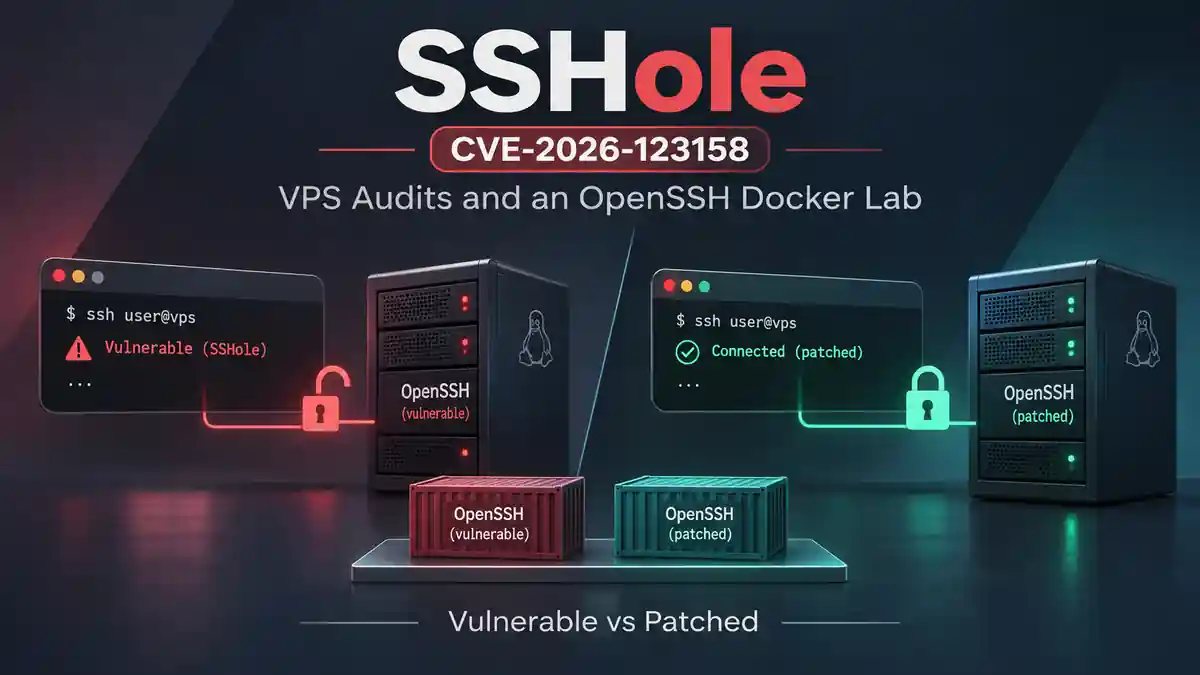
A server can advertise an older OpenSSH version and still be protected from a specific vulnerability. Conversely, two servers can advertise exactly the same SSH version while running different security patch revisions.
I encountered both situations while investigating SSHole (CVE-2026-123158). Instead of treating a version warning as proof, I audited two Linux VPS servers that I administer, built a controlled pre-fix-versus-patched Docker laboratory, and wrote read-only tools to make the assessment reproducible.
This is an evidence-based security engineering case study. The public records use redacted addresses, and all authentication-bypass testing took place in an isolated local container—not on production VPS servers.
What SSHole affects—and what it does not
SSHole is an OpenSSH password-authentication bypass associated with certain Linux systems using musl libc, with PAM disabled and password authentication enabled, alongside specific password-field conditions in the local account database. The upstream workaround shipped in OpenSSH 10.6p2 on November 5, 2026.
The practical lesson is that the affected configuration matters more than an OpenSSH banner. Alpine Linux’s security advisory identifies the relevant PAM, account and package prerequisites. The OpenSSH release notes document the upstream fix.
A server with UsePAM yes is outside the particular no-PAM pathway described in that advisory. A distribution may also backport the fix without changing the network banner.
1. Start with real VPS audits, not an exploit
My first step was a read-only Bash audit on two real servers. The initial script inspected the installed OpenSSH version, libc indicators, effective sshd configuration, locked account fields, selected persistence indicators, service entries, recent sessions, and authentication events.
The two hosts reported:
| Setting | VPS 1 | VPS 2 |
|---|---|---|
| OpenSSH | 9.9p1 |
10.0p2 Debian-7+deb13u4 |
| OS | Not established by the submitted excerpt | Debian 13 |
| musl libc | Not detected by the initial check | Not detected by the initial check |
UsePAM |
yes |
yes |
PasswordAuthentication |
yes |
yes |
PermitRootLogin |
yes |
yes |
| SSHole configuration prerequisites | Not confirmed | Not confirmed |
The original script warned about versions older than upstream 10.6p2. That warning was insufficient on its own: the observed UsePAM yes setting did not match the vulnerable no-PAM configuration.
This does not certify either VPS as secure against every issue, and the initial libc check was only a heuristic. It does show why I should not claim a server is exposed based solely on its version string.
A separate, more actionable finding: root password login
The audit revealed a practical hardening issue unrelated to proving this CVE. Both servers allowed direct root login with password authentication enabled.
On VPS 1, sampled authentication events included repeated failed login attempts against root from multiple external sources. This is consistent with automated Internet-wide SSH password scanning; failed attempts alone are not evidence that an attacker got in.
Recent successful sessions showed a recurring source address that must be compared with the expected administrator history before drawing conclusions. I excluded public IP addresses and host identifiers from the published evidence.
On VPS 2, the original script displayed no results in its authentication-log section. That was a logging coverage gap, not proof that there had been no login attempts: the script looked for traditional log files and did not query systemd-journald.
I subsequently revised the auditing approach to distinguish not found, not checked and no evidence observed.
For a broader, read-only approach to SSH and infrastructure hygiene, see my earlier Linux server hardening checklist.
2. Build an isolated Alpine Linux A/B laboratory
To understand the reported behavior without touching the VPS fleet, I prepared two Docker containers on a Windows 11 workstation. Both published their SSH port to loopback only.
| Property | Pre-fix lab | Patched lab |
|---|---|---|
| Host endpoint | 127.0.0.1:2222 |
127.0.0.1:2223 |
| Alpine OpenSSH package | 10.3_p1-r1 |
10.3_p1-r2 |
| OpenSSH version shown locally | 10.3p1 |
10.3p1 |
| Network banner | SSH-2.0-OpenSSH_10.3 |
SSH-2.0-OpenSSH_10.3 |
UsePAM |
no |
no |
PasswordAuthentication |
yes |
yes |
Test user alpine |
* password field |
* password field |
The test account existed in each container and had a literal * as its password field. I also verified the presence of the other relevant shadow-hash type in the pre-fix lab without publishing hashes.
Importantly, installing openssh-server-pam does not automatically mean PAM is in use. In this laboratory, the effective sshd configuration explicitly said UsePAM no.
The controlled environment was based on leonjza’s SSHole lab, with that upstream work credited. My contribution here is the independent assessment workflow, results, and defensive tooling—not discovery of the underlying vulnerability.
3. Authentication evidence from the pre-fix container
The initial standard password attempt to the locked account was rejected. During subsequent controlled local testing, the pre-fix container recorded a failed password event followed by an accepted password event on the same SSH connection.
A redacted excerpt of the observed log sequence:
05:28:59 UTC  Failed password for alpine ... port 38892
05:29:02 UTC  Accepted password for alpine ... port 38892
The resulting interactive SSH shell reported:
$ whoami
alpine

$ id
uid=1000(alpine) gid=1000(alpine) groups=1000(alpine)
That matters because the test account’s password field had already been confirmed as *. The server-side authentication records and observed unprivileged shell together provide strong evidence of the reported bypass in the isolated pre-fix lab.
This article intentionally omits an operational authentication-bypass payload or a reusable exploitation sequence. It focuses on the defensive assessment and the meaning of the evidence.
What the patched control established
I updated the second container to Alpine OpenSSH 10.3_p1-r2, verified both relevant installed package revisions, and restarted the container. The patched build rejected ordinary password authentication attempts against the locked test account.
I also reported that the bypass did not reproduce on the patched container. However, the complete equivalent patched exploitation transcript was not preserved in the evidence supplied for this write-up. Consequently, I am not presenting the ordinary one-prompt password denials as an independently documented, identical A/B exploitation run.
The verified facts are: r2 was installed, the locked account remained locked, and the recorded ordinary password attempts were rejected. Alpine’s advisory identifies r2 as the fixed package release for version 3.24.
4. The scanner’s most useful failure: two identical banners
The next finding was methodological. I built a small Python tool to collect SSH identification banners from authorized targets. My early implementation mishandled the shortened banner form:
SSH-2.0-OpenSSH_10.3
After correcting the parser, the scanner returned the same appropriate result for both containers:
127.0.0.1:2222  CHECK_CONFIG  SSH-2.0-OpenSSH_10.3
127.0.0.1:2223  CHECK_CONFIG  SSH-2.0-OpenSSH_10.3
Neither result could independently identify the Alpine package release. That is the central finding of this exercise:
The SSH version advertised over the network is not the same thing as the installed distribution patch level.
A banner-only scanner should mark systems for review—not make an unsupported claim that a specific vulnerability is confirmed.
To evaluate this CVE, the investigation needs the actual libc and PAM behavior, effective sshd settings, account conditions, and the distribution vendor’s fixed package revision. On Alpine 3.24, the relevant fixed revision is 10.3_p1-r2, even though the server may still advertise OpenSSH 10.3.
5. Improving my defensive audit workflow
The laboratory led to improvements in three tools:
- Python SSH banner scanner: bounded, read-only triage with a clear
CHECK_CONFIGoutcome rather than a binary vulnerable/safe label. - Python Docker lab audit: local comparison of named containers, package revisions, configuration values and recorded authentication events, with structured output.
- English Bash server audit: checks effective SSH configuration, package and libc signals, account metadata, selected persistence indicators, and authentication logging coverage.
The Bash audit was particularly important because its first version had two weaknesses: an unreliable numeric comparison of version strings and missing journald coverage.
The improved tool reports uncertainties instead of turning an absent log match into a claim that an incident did not occur.
Practical defensive checks
On a Linux server you administer, these read-only commands are a useful starting point:
sshd -T | grep -E '^(usepam|passwordauthentication|permitrootlogin) '
journalctl -u ssh -u sshd --since '7 days ago' --no-pager
For package state, query the actual distribution manager:
apk list --installed 'openssh-server*'  # Alpine Linux
apt policy openssh-server  # Debian
Do not publish raw /etc/shadow contents, private SSH keys, production server identities or unreviewed authentication logs. Also, never disable your only working remote login method before validating an alternative and confirming console recovery access.
6. Preserving evidence without exposing infrastructure
I kept the original Docker authentication logs and calculated SHA-256 hashes for both local exports. The public repository contains redacted excerpts and summaries, rather than the full production audit logs or the raw originals.
That distinction matters: a hash of a local original file is not a hash of a modified public excerpt. Readers should be able to tell which evidence is directly available, which result was observed on screen, and which limitation remains.
My SSHole research repository contains the defensive tools, the comparison notes, sanitized evidence and the original local-log checksum manifest.
What I would change on the production VPS servers
This investigation did not justify deploying an exploit against live machines. It did identify several worthwhile operational actions:
- Review direct root login and password authentication. Prefer a tested non-root administrator with SSH keys and least-privilege sudo access; validate it before making changes.
- Retain and review authentication evidence. Include journald, rotated log files, authorized keys and legitimate access history rather than relying on a short sample.
- Patch from vendor sources. Check exact distribution packages and relevant advisories; do not infer patch state from upstream banners.
- Test restarts and recovery. On affected Alpine systems, the security advisory specifically requires restarting sshd after updating. Keep an alternate access path available.
- Document conclusions precisely. Separate confirmed vulnerability prerequisites, observed events, inferred risk and evidence limitations.
Final takeaway
This project joined two different sides of practical security engineering: real infrastructure assessment and controlled vulnerability validation.
The VPS reviews did not establish the necessary conditions for SSHole, but did expose a separate root-password-authentication hardening issue. The Docker lab showed a successful SSH session in the pre-fix environment, recorded the corresponding authentication evidence and highlighted how a patched distribution package can retain the same OpenSSH banner.
The core lesson is simple:
Security is not a version-number guessing exercise. It is a process of checking configurations, understanding vendor patches, preserving evidence and stating only what the observations support.
Sources and research material

TA551 / RELATED
Related articles
Cybersecurity
Building an AI-Ready Azure Security Lab with Ansible and Docker
How I extended an Azure Ubuntu DevOps lab with two Docker services, an Nginx reverse proxy, Ansible health checks, and a Python SSH log detector using reproducible test evidence.

Cybersecurity
I Ran ARTEX Global With a Local 4B Model — Then Checked the Evidence
An authorized assessment of a live website with ARTEX Global, Docker, LM Studio and local Qwen 3.5 4B: two completed tasks and AI findings requiring independent verification.
Cybersecurity
From Azure SSH Detection to Local AI Incident Analysis
A verified end-to-end Azure-to-local SOC experiment: retrieve a historical Wazuh SSH alert, analyze it with local Qwen, validate the incident report, and preserve human review.