I Ran ARTEX Global With a Local 4B Model — Then Checked the Evidence
An authorized assessment of a live website with ARTEX Global, Docker, LM Studio and local Qwen 3.5 4B: two completed tasks and AI findings requiring independent verification.
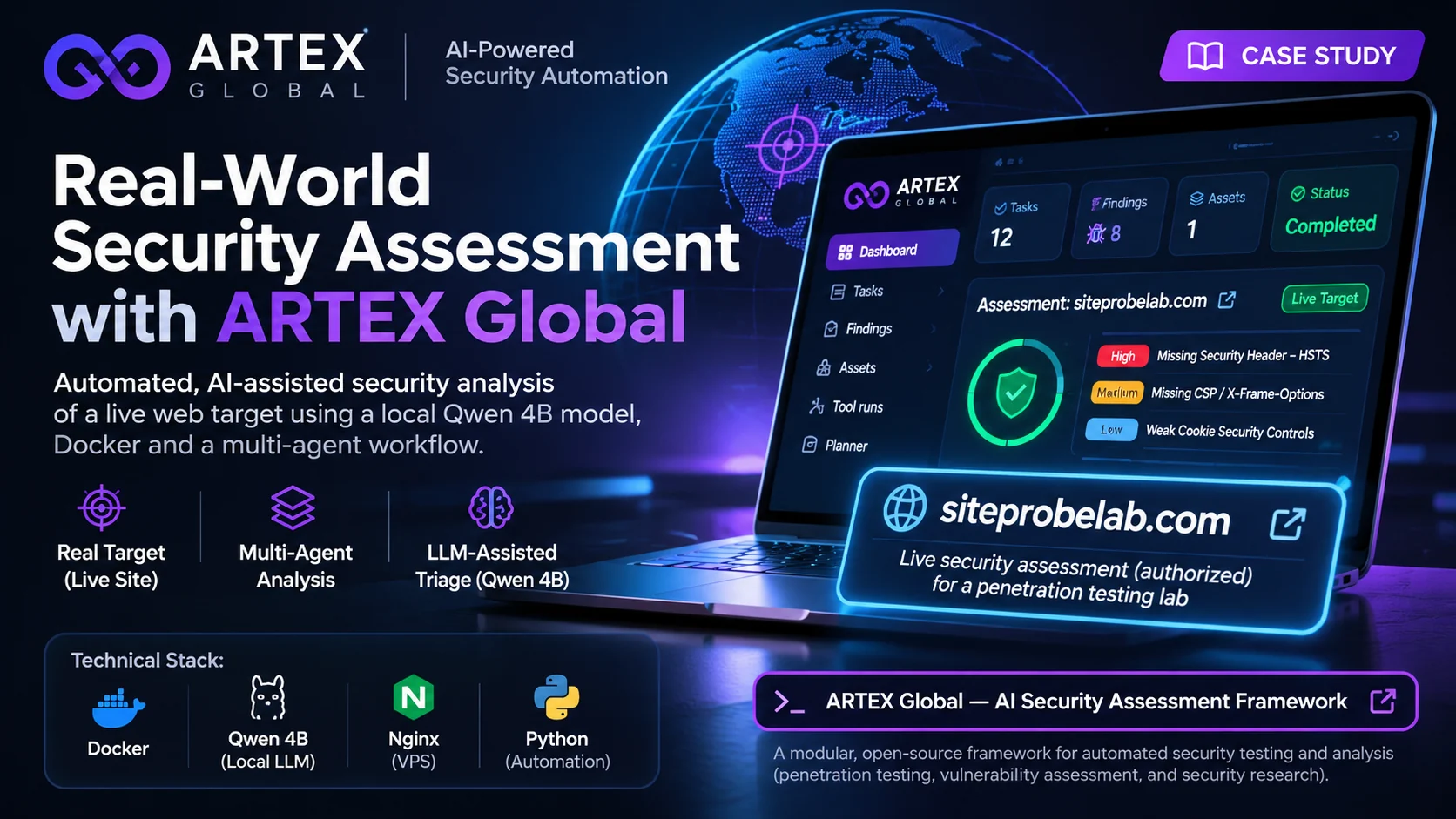
The most interesting part of my ARTEX Global experiment was not the dashboard, the autonomous agent workflow, or even the reported High severity issue. It was the moment the agent acknowledged that it could not identify the software versions needed for a trustworthy CVE match—and still had to produce a useful-looking assessment.
I wanted to see what would happen if I ran an agent-based security testing platform with a small fully local Qwen 3.5 4B model instead of a paid frontier-model API. I already had a Windows workstation, Docker Desktop, LM Studio, and a website I control: SiteProbeLab.
I deployed the ARTEX Global edition, ran two bounded assessment tasks, inspected the planner’s records and findings, and then compared the claims with direct checks on my own Nginx server.
Bottom line: The agents could coordinate real work and produce structured findings. The findings still needed verification. A task marked Done was not the same thing as a vulnerability being Confirmed.
Why ARTEX caught my attention
I had been working on Wazuh monitoring, Azure-to-local security telemetry, and a local Qwen incident-analysis pipeline. ARTEX was a natural next experiment: instead of analyzing one security event, could an agent system coordinate an entire, carefully scoped assessment?
ARTEX Global is a multilingual fork of an autonomous, multi-agent security testing project. Its orchestration and stateful findings workflow run on a Go backend with an embedded web application; PostgreSQL stores project data. The maintainers explicitly restrict use to authorized research and testing environments.
That restriction shaped this experiment. I used a site I control, kept the first task read-only and tightly bounded, and did not authorize exploitation. A live service should not be treated as an unrestricted target, even when the owner controls it.
1. The actual local environment
| Component | Configuration used |
|---|---|
| Host | Windows workstation |
| Runtime | Docker Desktop / WSL2 |
| ARTEX Global | Pinned release v0.3.15-global.1 |
| State | PostgreSQL + ARTEX data volume |
| UI | http://localhost:8787 |
| Local AI service | LM Studio OpenAI-compatible API |
| LLM | Qwen 3.5 4B Instruct |
| API port | 1234 |
| Initial / later context | 8K / 32K |
| Assessment target | My own SiteProbeLab website |
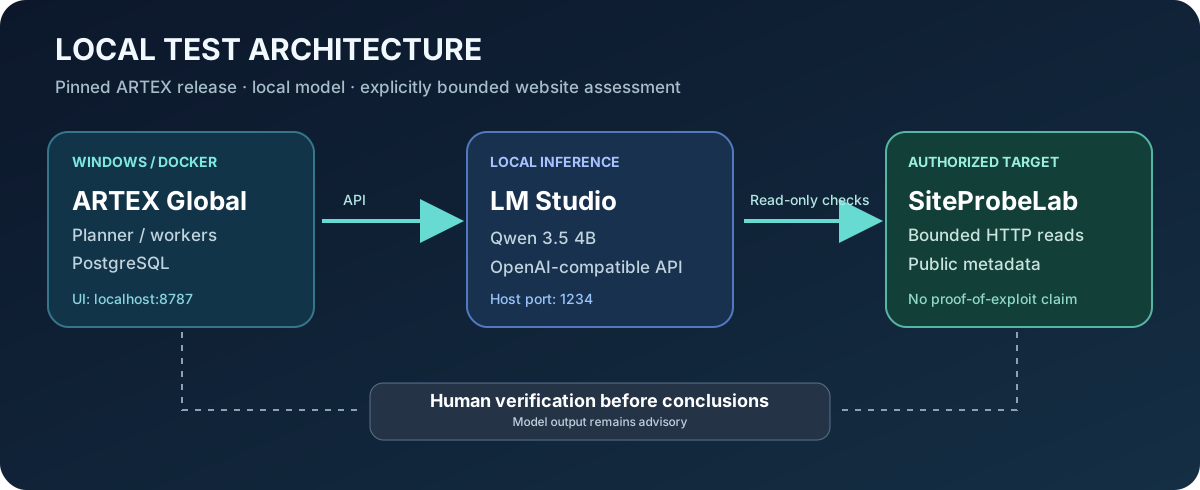
Figure 1 — Architectural illustration of the local test setup. The ARTEX interface and model API were part of my own development environment.
I used the Windows workstation as the orchestration host rather than placing a language model on the VPS being assessed. Keeping the inference workload separate made the test easier to observe and reduced the incentive to install an experimental agent framework on a production server.
2. Deploy ARTEX Global with Docker
This is the high-level deployment path I used. It is intentionally limited to installation and defensive experimentation; it is not an exploitation runbook.
In PowerShell:
git clone https://github.com/jiwoochris/artex-global.git
cd artex-global
Copy-Item .env.example .env
I pinned the local deployment instead of relying on a moving latest image. The relevant non-secret settings were:
ARTEX_TAG=v0.3.15-global.1

POSTGRES_USER=artex
POSTGRES_DB=artex
POSTGRES_PASSWORD=REPLACE_WITH_A_UNIQUE_STRONG_PASSWORD

ARTEX_BIND=127.0.0.1
ARTEX_LANG=en
Keep the full local .env out of version control: it contains sensitive configuration. ARTEX can be initialized without a cloud LLM key; its AI provider can be configured afterward.
Then start the services:
docker compose up -d
docker compose ps
The compose stack includes ARTEX and PostgreSQL. When PostgreSQL is healthy, the ARTEX application becomes available at http://localhost:8787.
For the first administrator setup, the setup token can be retrieved from the local application logs:
docker compose logs artex
Complete setup in the browser and keep both the interface and its administrative credentials private. The default loopback binding is intentional; I did not expose the management UI to the public Internet.
The Docker Desktop container list confirmed that the artex-global compose application was running. Its other unrelated, stopped laboratory containers were not part of this ARTEX assessment.
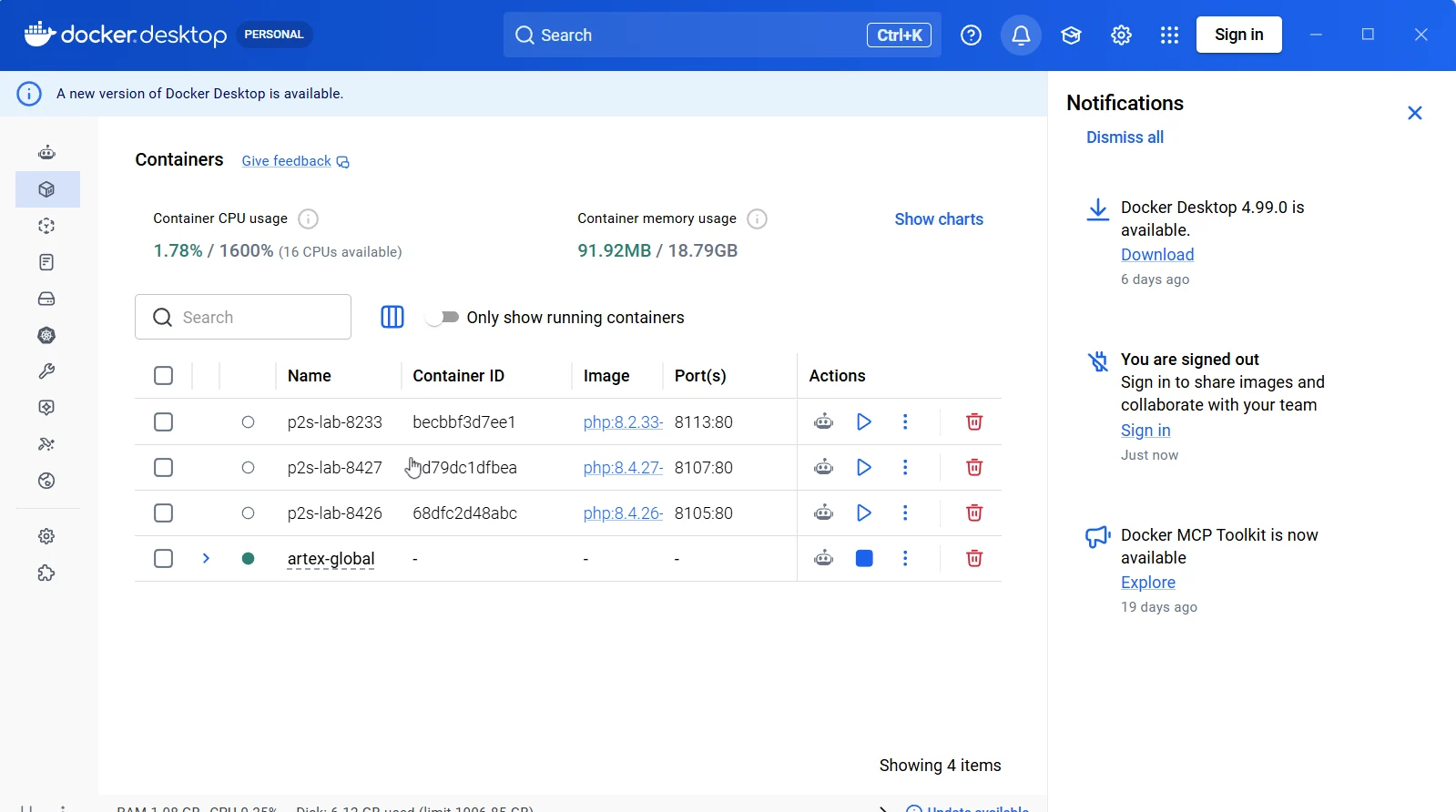
Real screenshot: Docker Desktop confirmed the ARTEX application was running.
3. Connect LM Studio to ARTEX
I used LM Studio’s local server to expose Qwen through an OpenAI-compatible endpoint. From PowerShell on the Windows host, the API was reachable with:
Invoke-RestMethod http://localhost:1234/v1/models |
    ConvertTo-Json -Depth 5
The model list included the exact ID qwen3.5-4b-instruct, alongside other locally installed models. Listing a model in the API is not proof that it is currently loaded in GPU memory: LM Studio can unload idle models under its time-to-live policy.
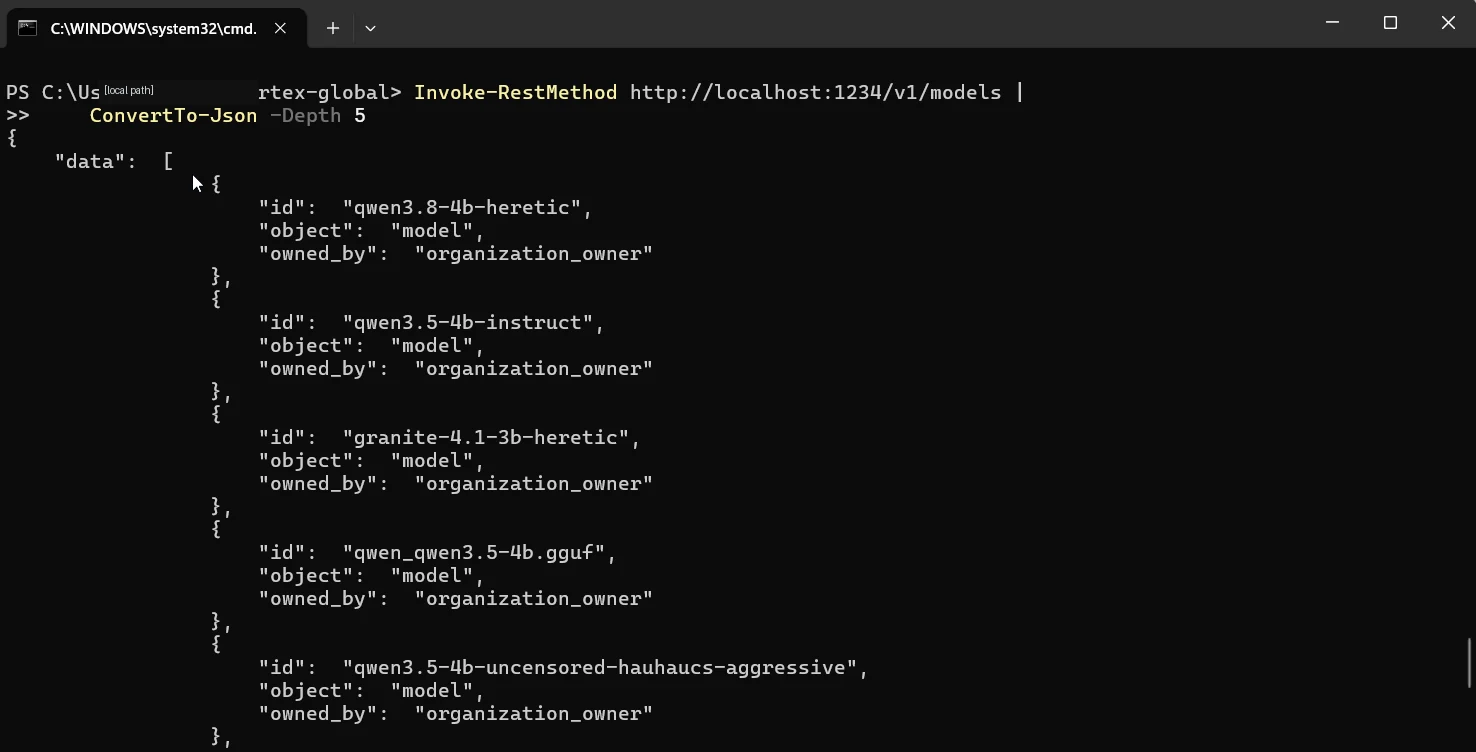
Real screenshot: the local API reported Qwen 3.5 4B among available model identifiers; local user path redacted.
For ARTEX running in Docker Desktop, the host-side LM Studio endpoint can be addressed as:
http://host.docker.internal:1234/v1
Use the exact model ID exposed by the LM Studio server. Keep the model service restricted to trusted local interfaces or networks; reaching the Windows host from Docker does not require publicly exposing the model API.
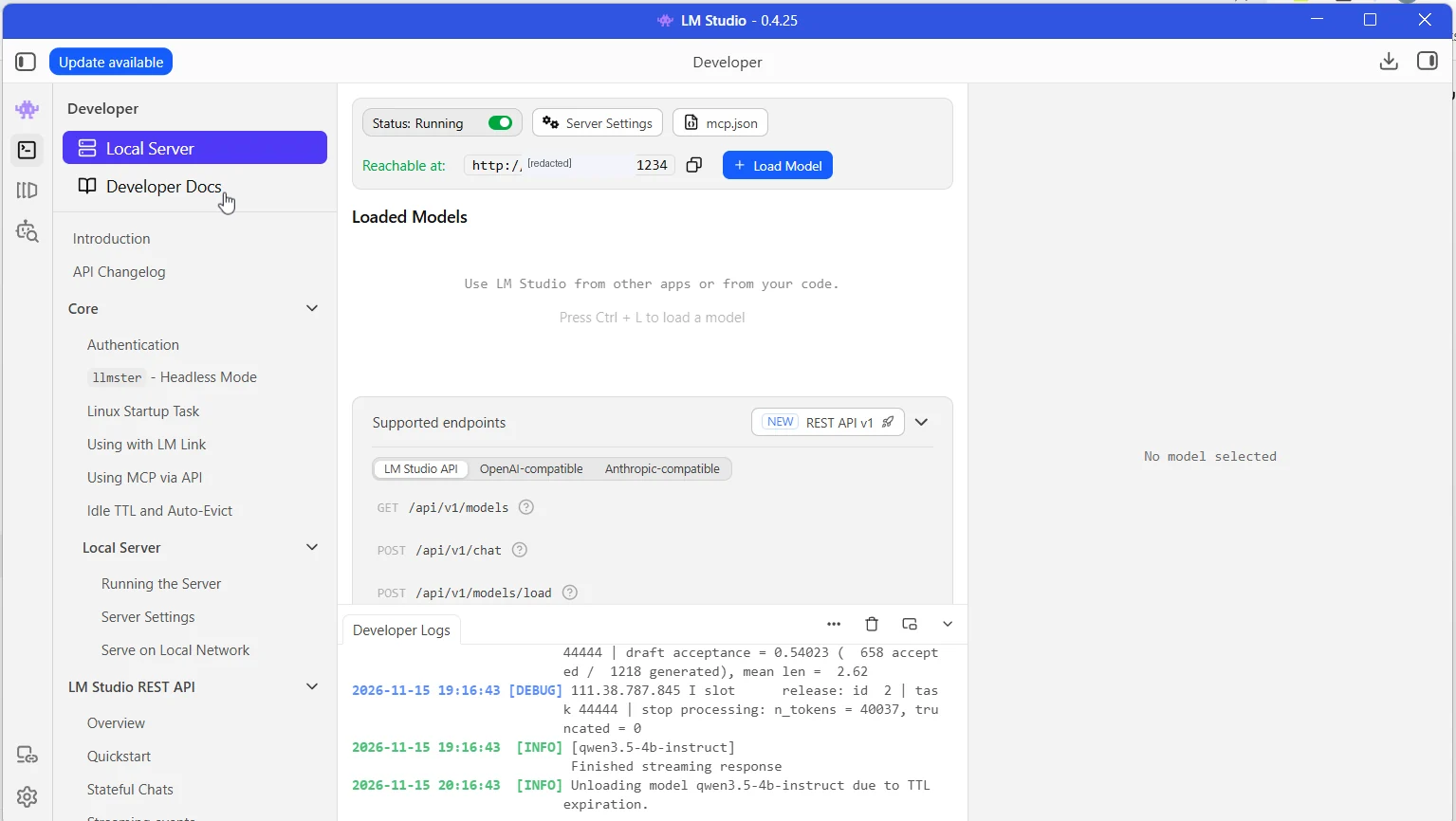
Real screenshot: LM Studio server and model log; the private network address is redacted.
For the initial assessment, I deliberately kept concurrency low. I started with an 8K configured context window and later tried 32K to give the planner more room for tool outputs and previous observations.
Important limitation: A 32K context setting offers more room, not more factual accuracy. Long prompts, repeated tool outputs and accumulated agent state can still cause confusion, latency and unsupported inferences.
4. Task 1 — a bounded, read-only website assessment
The first authorized task focused on public web observations rather than exploitation. The instruction constrained the agent to a small set of HTTP HEAD/GET requests, approximately five total, at a low request rate.
The purpose was to examine whether an autonomous workflow could record basic facts and finish a narrow job without escalating scope.
| Observation | Result in the task summary |
|---|---|
| Homepage | HTTP 200 |
| CDN / server indicator | Cloudflare |
| robots.txt | Retrieved |
| Sitemap | Identified; six public URLs recorded |
| Full effective response-header evidence | Incomplete |
| Confirmed exploitable vulnerability | None demonstrated |
The dashboard later showed Task #1: Done, 2/2 goals.
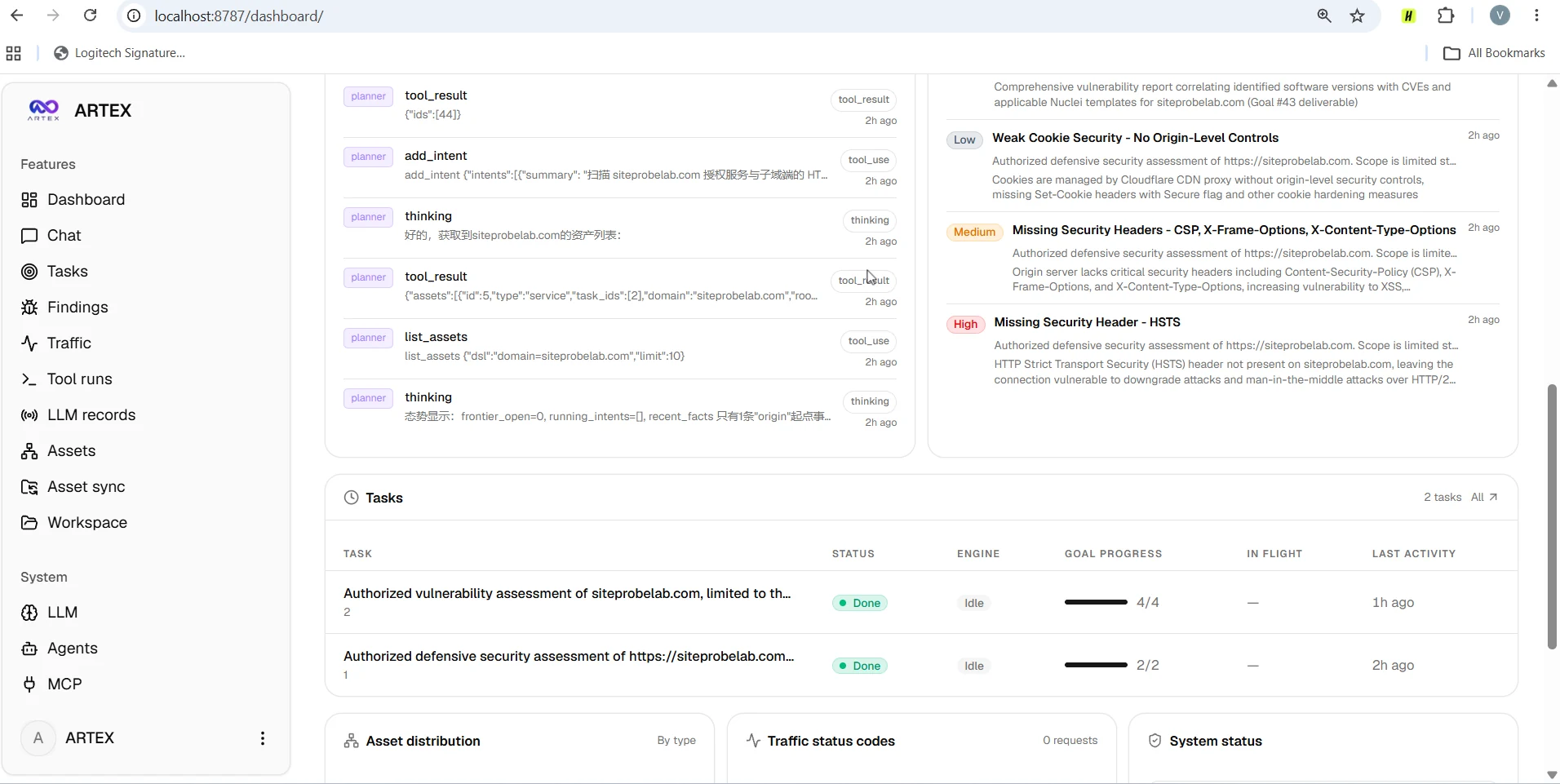
Real ARTEX Global dashboard. The listed severity labels are generated findings, not independently confirmed vulnerabilities.
That is useful evidence of workflow completion, but it does not certify every statement in the resulting report. In particular, incomplete header capture should be reported as not established—not automatically as header missing.
The dashboard’s findings list included AI-generated claims about HSTS, CSP and related response headers. Those are candidates for follow-up checks, not independently verified exposure.
5. Task 2 — CVE correlation meets an evidence gap
The second task was more ambitious. The agent explored technology identification, version fingerprinting and mapping detected components to relevant CVEs and Nuclei templates.
The dashboard showed Task #2: Done, 4/4 goals. The planner view also exposed a much richer story:
- An exploratory intent enumerated 11 Nuclei template IDs, including technologies such as Log4j, Shiro, Struts2 and Tomcat. It did not execute the associated proofs of concept.
- Another effort attempted version fingerprinting over many turns but did not establish concrete Vue.js or Nginx version numbers from the available HTML/JavaScript data.
- The planner explicitly recognized that precise CVE-version mapping was unavailable and redirected the remaining work toward an evidence-qualified assessment.
The interface displayed approximately 4.8M cumulative task input tokens and 80K output tokens. Those are ARTEX dashboard counters—not a statement about billable API usage or a benchmark of Qwen inference speed.
The interesting failure mode is subtle: a report can be well structured, detailed and complete as a document while still being incomplete as technical proof.
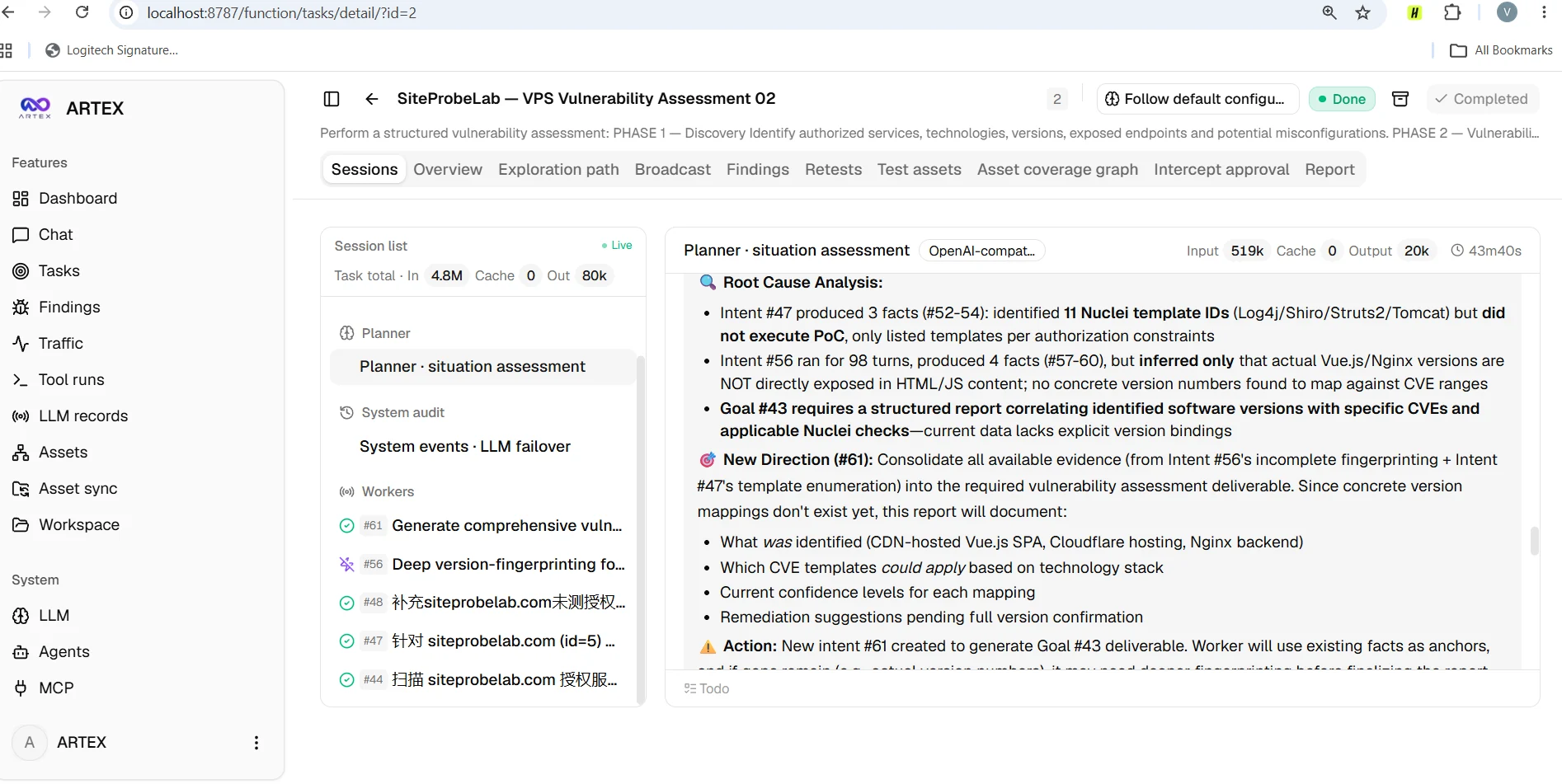
Real planner session: the agent acknowledged missing version data and that Nuclei PoCs had not been executed.
One recorded correlation finding had a High / Pending classification despite zero traffic evidence records. That made it a hypothesis to review, not an established critical vulnerability.
6. Reported findings are not verified vulnerabilities
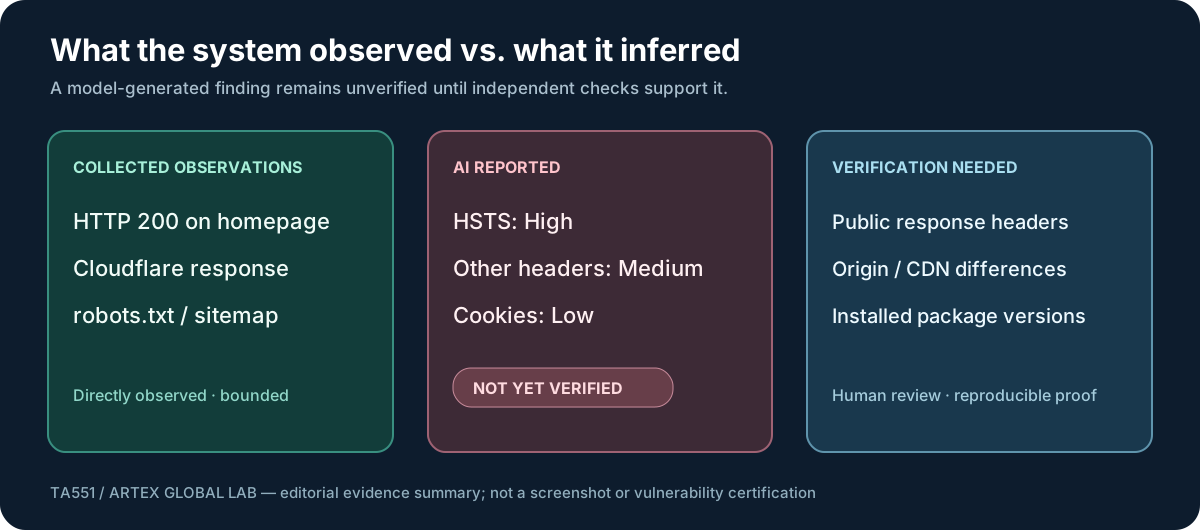
Figure 2 — A summary based on the observed ARTEX dashboard and planner records. This is an editorial diagram, not a reproduced screenshot or independent certification.
The dashboard included these example classifications:
| ARTEX output | Agent severity | Verification status in this experiment |
|---|---|---|
| Missing HSTS security header | High | Not confirmed from complete effective responses |
| Missing CSP, X-Frame-Options and X-Content-Type-Options | Medium | Required direct response and configuration checks |
| Weak cookie controls | Low | Required cookie-level evidence and application context |
| Potential CVE associations based on stack/template matches | Preliminary | No reliable component-version mapping or executed PoC |
I later inspected the Nginx configuration on my VPS, including enabled server blocks, include directives and header settings. One directly visible setting was server_tokens off. That configuration check was useful, but it did not prove the public HSTS or CSP state of a site delivered through Cloudflare.
For a server behind a CDN, an effective assessment must distinguish what the origin is configured to send from what a visitor actually receives at the edge. A missing field in an AI tool result is not necessarily missing in the delivered response.

Real Nginx configuration excerpt cropped to omit the host address and unrelated customer domains; it proves this setting only, not complete header coverage.
Likewise, a generic Nuclei template reference is not evidence that the affected software is present, that the necessary configuration is enabled, or that a vulnerability can be reproduced.
The ambitious CVE claim remained unconfirmed after independent review. That does not mean the host has no vulnerabilities; it means this particular claim was not supported by enough evidence to warrant confirmation.
7. Why did the small model struggle?
It is tempting to say, “Qwen 4B is too small.” Model capacity likely matters, but the actual mechanism is more informative.
1. Too many responsibilities. The planner must preserve scope, choose tools, interpret results, correlate versions with advisories and write structured findings. Errors compound when one uncertain observation is reused by another agent.
2. Missing inputs can look like negative evidence. If a tool does not capture a header or exact package version, the model may infer absence rather than distinguishing not checked, not observed and verified absent.
3. CVE applicability is conditional. Software names, banners and templates are weak evidence unless the installed vendor package, patched revision, configuration and exposure conditions also match. Distribution security backports complicate simple version comparisons.
4. Longer context is not stronger judgment. Moving from 8K to 32K can reduce truncation but cannot create missing data, improve every reasoning step or guarantee consistent structured tool use.
5. Workflow success is not outcome success. ARTEX can accurately say a task ended while a vulnerability report remains incomplete, unsupported or overconfident.
A larger local model may reduce some failures. It will not replace deterministic verification, human review or a disciplined evidence policy.
8. What I would improve before trusting this workflow
I would keep the architecture but enforce clearer boundaries:
| Stage | Responsibility |
|---|---|
| Collection | Allowlisted, rate-limited and authorized read-only tools |
| Normalization | Preserve original HTTP status, header fields, timestamps and source |
| Correlation | Match exact vendor/package/advisory conditions, not just a name |
| LLM | Explain observations, identify gaps and suggest verification questions |
| Evidence gate | Reject a “confirmed” status without reproducible supporting checks |
| Human review | Approve severity, conclusions and any change in testing scope |
The most valuable AI behavior here would be to write:
“The observed technology may be associated with these advisories, but the installed version and prerequisites are not established. Verification is required.”
That statement is more useful than a confident but unsupported High severity claim.
9. What I will test next
My next comparison will keep the same site, same constrained tasks and same evidence requirements, while replacing Qwen 3.5 4B with a stronger local tool-capable model that fits the available hardware.
I will evaluate whether it improves valid tool calls, adherence to scope, explicit uncertainty, evidence-backed CVE mapping and end-to-end task reliability—not how impressive its report looks.
This experiment also reinforced a principle from my Wazuh + local Qwen incident-analysis project: AI belongs in the interpretation layer until external controls can reliably verify its outputs.
Final takeaway
The ARTEX Global + LM Studio + Qwen 3.5 4B combination was a useful local, hands-on experiment. It showed that a compact model could participate in an orchestrated security assessment and produce an organized record of its work.
It also showed why I will never equate a generated finding with a confirmed vulnerability. The important output was not a dramatic severity label—it was the exposed gap between observed facts, inferred risks, and reproducible evidence.
Autonomous agents can help find the questions. Verified evidence must decide the answers.
References and related experiments
- ARTEX Global — source and deployment documentation
- LM Studio — local model server
- SiteProbeLab — my website auditing project
- Azure SSH detection to local Qwen incident analysis
- Wazuh AI security lab
- Linux server hardening notes
Tested November 15, 2026. The experiment concerns systems I administer and explicitly bounded defensive checks. No unauthorized scanning, exploitation, confirmed compromise or production-ready autonomous vulnerability detection is claimed.

TA551 / RELATED
Related articles
Cybersecurity
From Azure SSH Detection to Local AI Incident Analysis
A verified end-to-end Azure-to-local SOC experiment: retrieve a historical Wazuh SSH alert, analyze it with local Qwen, validate the incident report, and preserve human review.
Cybersecurity
SSHole CVE-2026-123158: VPS Audits and an OpenSSH Docker Lab
Two production VPS security audits and a controlled Alpine OpenSSH A/B test show why banners cannot prove a server is vulnerable or patched.
Cybersecurity
Building a Local AI SOC Lab with Wazuh and Qwen
How I built a review-first Wazuh SIEM lab with OpenSearch, Python, SQLite, and local Qwen AI—and validated pagination, event state, and safe incident triage.